Common scams
Protecting yourself from fraud is easier with a little know-how of the types of scams out there. Here's how to spot them and what to do.
Protecting yourself from fraud is easier with a little know-how of the types of scams out there. Here's how to spot them and what to do.
Authorised Push Payment fraud (APP fraud) happens when someone tricks you into sending money to them. You may be contacted by phone, text message, email or social media and they may sound very convincing, pretending to be your bank, the police, an energy company, a retailer or holiday company. If you’re suspicious, hang up and contact the company on a trusted number, or report the messages and texts.
We’ll never contact you out of the blue and ask you to send money to another account. Find out more on our dedicated APP fraud page.

Digital wallets are a way to virtually store your credit or debit cards on your phone and wearable devices.
When you add your card details to a digital wallet, your card provider will send you a one-time passcode by text or email to check it’s you.
Digital wallet fraud is where a fraudster registers someone else’s card details to a digital wallet app on the fraudster’s phone, then tricks the cardholder into sharing their one-time passcode. The fraudster can then use the digital wallet to spend with someone else’s card.
If someone you don’t know calls to ask for personal details or to transfer money into a bank account, it’s probably a vishing scam. Vishing is like phishing, but happens over the phone. The scammer may pretend to be from your bank, internet/phone provider or even the police.
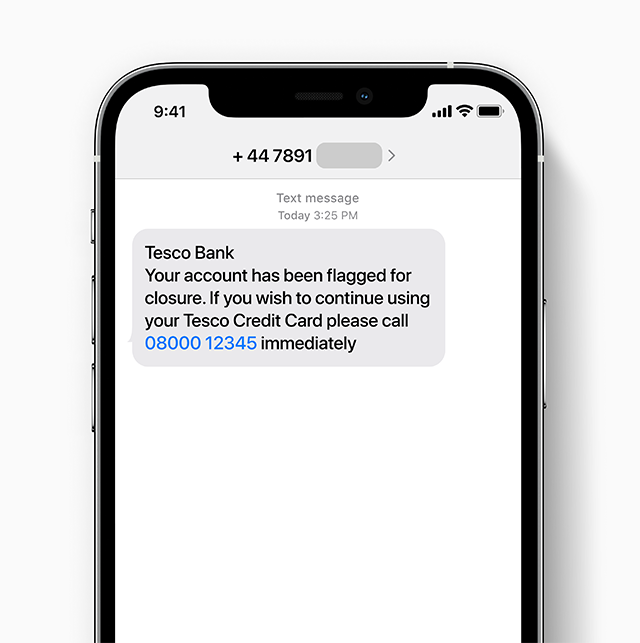
Text scams, otherwise known as smishing, can be just like email scams, appearing to be an official message from your bank or phone provider – examples are a security alert or special offer for customers. These texts contain a link to a fraudulent site or a fake phone number to call. They often tell you to act fast, so you don’t have time to stop and think
If you receive a suspicious text, report it to your network operator. Simply forward the text to 7726. This won’t cost you anything.
Our computer systems have specialised multi-layered security to protect your accounts, but fraudsters may instead try to access your computer using malware.
It’s harmful software designed to infect your computer without you realising. It can take control of your machine and steal your security or bank details.
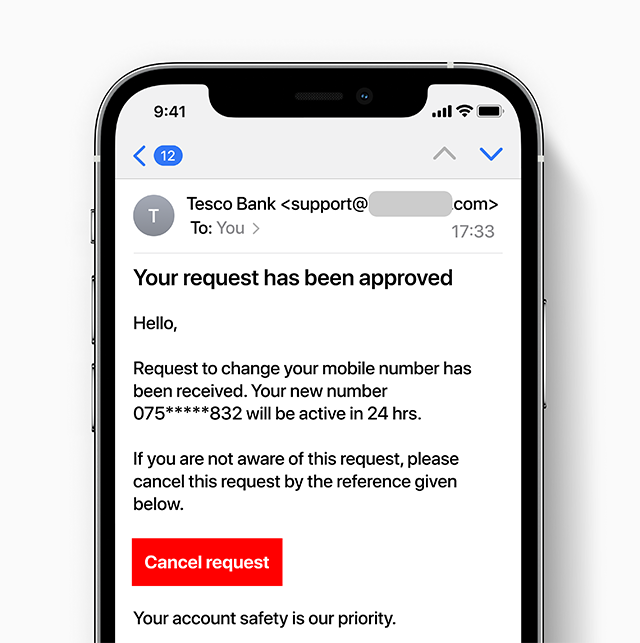
Fraudulent emails, often called phishing emails, trick you into sharing personal information or access to your accounts. They can be very convincing, and anyone can be fooled by them.
If you've received a suspicious email you think might be a scam, forward it to us at phishing@tescobank.com
If you're not sure whether a phone call, text message or letter is genuine, call the number on your statement or card or feel free to get in touch.
Cifas is a not-for-profit fraud organisation. It provides information and tools to help you understand fraud and financial crime, and advice on how to protect yourself.
If you’ve been a victim of identity fraud, or are worried your personal data is at risk, they offer Protective Registration. This is a paid-for service with Cifas that aims to protect against identity fraud for two years. You might be at a higher risk of identity theft if:
To help protect you, Cifas’ Protective Registration adds a warning flag against your name on a register that’s shared with other organisations. That means they know to pay close attention if your details are used to purchase products or services.
The following information may also be helpful:
Citizens Advice: Check if something might be a scam
Age UK: Support for scam victims